
Integration Playbook: Connect Your Store to Printie
Simple guide to connect your Etsy shop or e-commerce store with automatic order sync and fulfillment.

By Tyler Reece · Published November 6, 2025 · Updated November 6, 2025 · 2 min read
Connecting your store to Printie takes just minutes. This guide walks you through the setup process for automatic order fulfillment.
Watch: Getting Started with Printie
Watch the Getting Started video on YouTube →
This quick video walks you through connecting your store and setting up your first products.
Setup checklist
Step | What to do | Time |
|---|---|---|
| Create account | Sign up at printie.com | 15 seconds |
| Connect store | Link your Etsy shop or e-commerce platform | 30 sec |
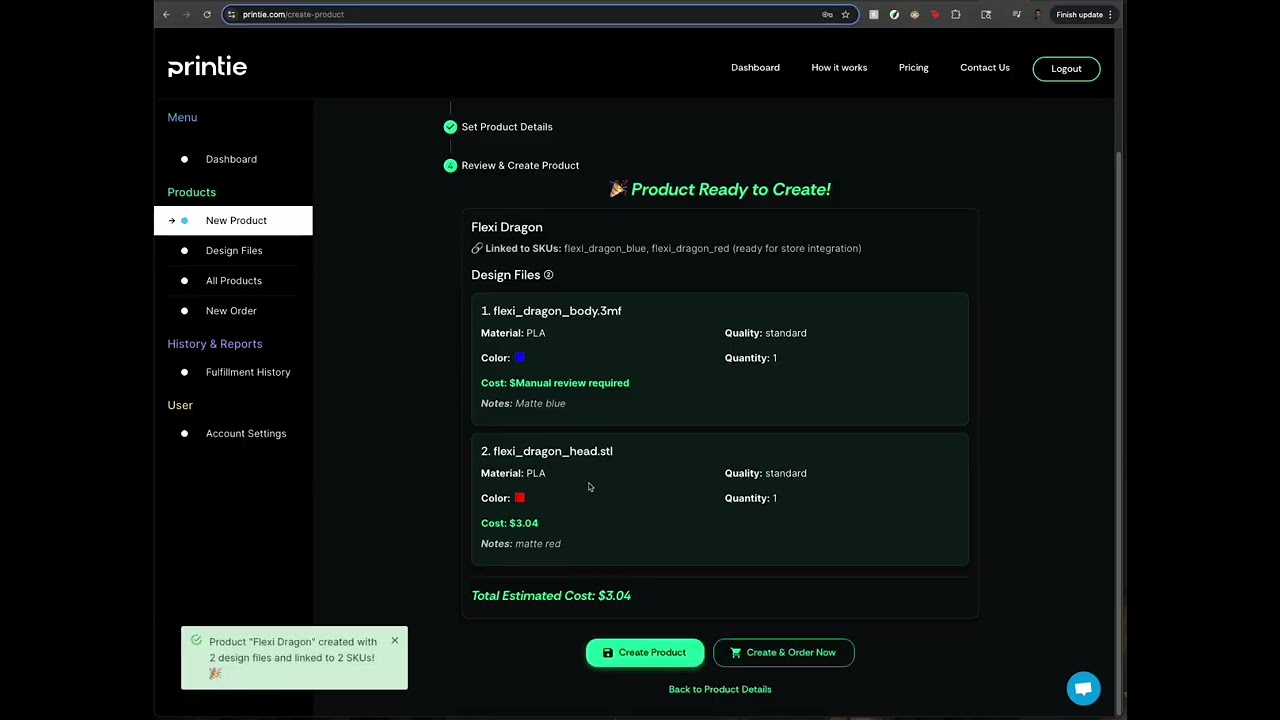
| Upload products | Add 3D models and create product listings | 2 min |
| Configure SKUs | Match store products to print configurations | 2 min |
Connect your store
Etsy Integration
- Navigate to Account Settings in your Printie dashboard
- Click "Connect Shipping Integration" and authorize Printie
- Done! Orders will sync automatically when customers purchase
That's it - no webhooks, no API keys, no complex setup.
Other Platforms
Printie also supports:
- Shopify - Install from the Shopify App Store
- WooCommerce - Use our plugin or API
- Custom stores - Connect via REST API
- AND MANY MORE
Set up your products
1. Upload 3D Models
- Go to New Product
- Upload STL or 3MF files
- Select materials for each file
2. Add Product Details
- Add SKUs
- Select filament for each SKU
Order flow
Once connected, here's what happens automatically:
- Customer places order on your store
- Order syncs to Printie within minutes
- Production begins with your configured settings
- Quality check ensures print quality
- Shipping label created with tracking
- Customer notified with tracking info
Testing your integration
Before going live:
- Place a test order on your store
- Verify it appears in Printie dashboard
- Check that SKU matching works correctly
- Confirm shipping address transfers properly
Common questions
Do I need technical skills? No. The integration is designed to work without any coding.
How fast do orders sync? Orders typically appear in Printie within 2-5 minutes of purchase.
Can I fulfill some orders myself? Yes. You can choose which orders to send to Printie from your dashboard.
Ready to get started? Create your account and connect your first store today. If you want the full overview, explore How It Works and review Pricing.