
How to Connect Walmart Marketplace to 3D Print Fulfillment
The exact Walmart-to-Printie order path through ShipStation or Shippo, plus SKU mapping, test-order, tracking, and WFS decisions for 3D print sellers.

By Tyler Reece · Published May 27, 2026 · Updated July 21, 2026 · 7 min read
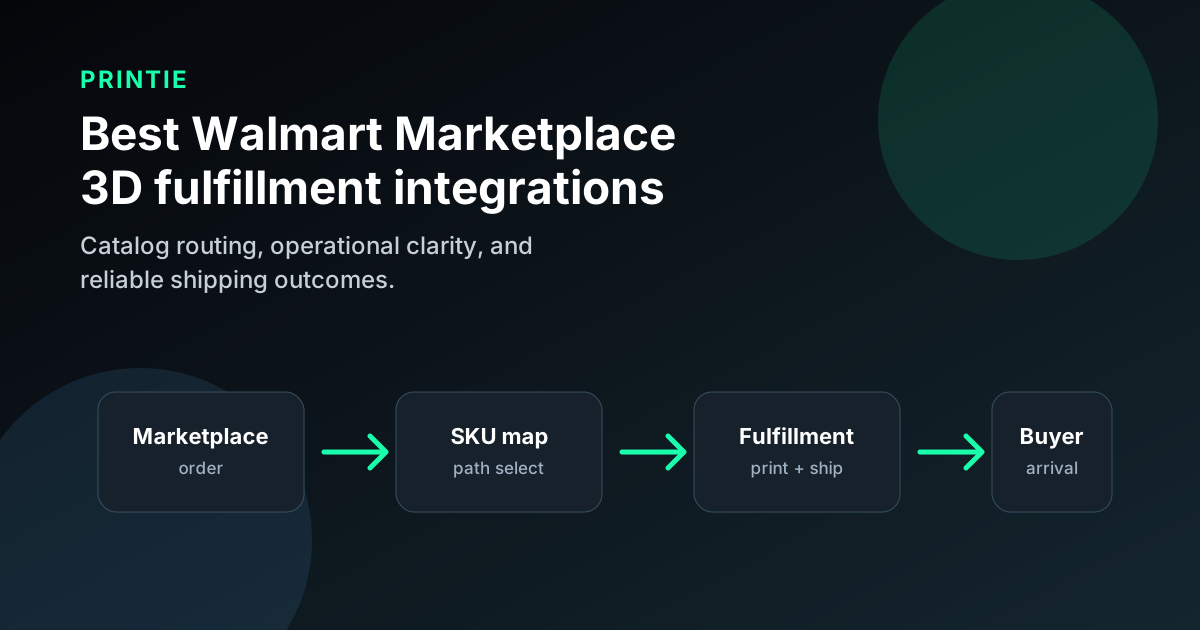
The cleanest way to connect Walmart Marketplace to Printie is through ShipStation or Shippo. Walmart sends the order into the shipping platform; Printie imports the provider order, matches each Walmart SKU to a production setup, prints and packs the item, and buys the label. This is a provider bridge, not a bespoke native Walmart app inside Printie.
Use this path for repeatable made-to-order SKUs. Use Walmart Fulfillment Services (WFS) for finished inventory that you can manufacture ahead of demand. Do not send a personalized SKU to either workflow until one real test order has carried the exact option data your production team needs.
Quick answer
Choose the order path before connecting accounts:
Order path | Best for | What must be true | Main failure mode |
|---|---|---|---|
| Walmart → ShipStation → Printie | Repeatable made-to-order 3D printed products | The Walmart SKU must arrive in ShipStation unchanged and map to one Printie setup | A variation or bundle reaches production without enough information |
| Walmart → Shippo → Printie | Sellers already routing Walmart orders through Shippo | The paid order must appear in the connected Shippo account with a stable SKU | Order status or tracking write-back needs a manual step that nobody owns |
| Walmart → in-house production | Shops with proven printer, packing, and support capacity | Your team can protect Walmart's ship-by date during peaks and reprints | Late dispatch becomes a marketplace-performance problem |
| Walmart → WFS | Finished goods that can be stocked in advance | Each unit is already printed, packaged, labeled, and ready to store | Made-to-order options are forced into an inventory workflow |
| Hybrid: WFS + Printie | Catalogs with stocked winners and made-to-order long-tail SKUs | Every SKU has exactly one fulfillment owner | The same SKU is enabled in two paths or in neither one |
For most made-to-order catalogs, start with ShipStation or Shippo plus Printie. Move a proven, non-custom SKU to WFS only when the inventory economics are better than producing it after checkout.
Verification notes
Last verified: July 21, 2026.
This article is independent editorial content. Printie is not affiliated with Walmart, ShipStation, or Shippo.
Before choosing a provider, verify details on official sources:
- Printie How It Works
- Printie Pricing
- ShipStation's Walmart connection guide
- Shippo's Walmart integration page
- Walmart seller-fulfilled shipping options
- Walmart Fulfillment Services overview
Walmart, ShipStation, and Shippo can change connection requirements. Re-check the official guides before connecting a production account.
The actual Walmart-to-Printie order path
Printie connects to the shipping provider account, not directly to Walmart Seller Center. The operating path is:
- A customer buys a Walmart Marketplace listing.
- Walmart sends the order to the connected ShipStation or Shippo account.
- Printie imports the provider order.
- The Walmart item SKU matches a Printie product configuration.
- That configuration supplies the design file, material, color, quantity, packing rules, and any included items.
- Printie produces the order, runs quality control, packs it, and purchases the shipping label.
- The shipment status and tracking path are verified back in Walmart.
Step four is the control point. If Walmart sends DRAGON-LAMP-GREEN-LARGE, Printie needs that exact SKU mapped to one unambiguous setup. A title such as “Green / Large” is useful to a person, but it should not be the production key.
For a bundle, decide whether Walmart sends one bundle SKU mapped to a complete Printie configuration or separate component line items. Do not let the operator infer the bundle from the listing title.
Set up the ShipStation path
ShipStation documents a direct Walmart Marketplace store connection. In ShipStation, the seller connects Walmart under Settings → Selling Channels → Store Setup and completes Walmart's authorization flow. Walmart has been moving connections to OAuth 2.0, so an older connection may need to be reauthenticated.
After Walmart orders are visible in ShipStation:
- Connect the same ShipStation account in Printie.
- Build one Printie configuration for each production-distinct Walmart SKU.
- Confirm the imported line item retains the Walmart SKU.
- Place one paid test order using a real deliverable address.
- Record Walmart's ship-by date in the test log and confirm the planned Printie production window fits it.
- Complete the test and confirm tracking appears in Walmart Seller Center.
Walmart gives every order line its own line-item identifier. ShipStation notes that multiple units can appear as separate quantity-one lines, so test quantity two as well as quantity one before accepting bundle or multipack demand.
Set up the Shippo path
Shippo also advertises a Walmart store connection. The Printie side uses a connected Shippo account to import orders, so the test is the same: confirm Walmart creates a paid Shippo order with the exact SKU and destination data that Printie expects.
Pay special attention to status ownership. A label purchase proves that a package can ship; it does not prove that Walmart received the correct shipped status in every exception path. Run these three tests:
- Normal paid order: tracking returns to Walmart after shipment.
- Cancellation before production: the order does not remain active in Printie.
- Manually completed or replaced shipment: one named person owns any manual Walmart status update.
If any result requires copying data between screens, write that step into the launch checklist. Hidden manual work is acceptable during a test; it is not acceptable as an undocumented production dependency.
Map Walmart variations without guesswork
Walmart variations should resolve to different SKUs whenever they change the production instructions. A useful mapping table looks like this:
Walmart SKU | Design file | Material and color | Print quantity | Packing rule |
|---|---|---|---|---|
PLANTER-4-BLK | planter-v7.3mf | Matte black PLA | 1 | Kraft carton + care card |
PLANTER-6-BLK | planter-v7.3mf | Matte black PLA | 1 | Large carton + care card |
PLANTER-4-SAND-2PK | planter-v7.3mf | Sand PLA | 2 | Pair in one carton + divider |
The file may be shared, but the SKU still has one production meaning. If a buyer can enter freeform text, do not rely on a message field without validating that ShipStation or Shippo carries the text into the order Printie imports. A safer launch is to constrain personalization to choices encoded in the SKU, then add freeform fields only after an end-to-end test.
Protect Walmart's delivery promise
Made-to-order lead time has to fit inside Walmart's shipping settings. Walmart's seller-fulfilled options use shipping profiles, carrier settings, and delivery promises. Set the promise from measured production time, not from the fastest clean print you have seen.
For a new SKU, measure:
- Queue time before a printer starts
- Normal print duration plus post-processing
- Reprint allowance for a failed first attempt
- Packing cutoff and carrier pickup time
- Weekend and holiday behavior
If the promise only works when the first print succeeds, it is not a production promise. Start with a conservative window, then tighten it after a real batch shows stable on-time performance.
Decide when WFS is the better model
WFS stores finished units in Walmart fulfillment centers, then picks, packs, and ships them. That is fundamentally different from Printie's made-to-order path.
Use WFS when the SKU is:
- Standardized, with no per-order production choice
- Selling often enough to justify pre-printing inventory
- Stable enough that a design revision will not strand old units
- Packaged and labeled before it reaches Walmart
Keep Printie or an in-house made-to-order path for long-tail colors, new designs, and customized products. A hybrid catalog is usually cleaner than forcing every item into the same fulfillment model.
Run a five-order launch test
Do not approve the connection after one happy-path order. Run five orders that exercise different data:
- The default variant.
- A second color or size with a distinct SKU.
- Quantity two of the same item.
- A bundle or included-item SKU.
- A cancellation before production begins.
For each test, record the Walmart SKU, imported provider SKU, selected Printie setup, ship-by date, label source, tracking result, and final Walmart status. The connection is ready only when all seven fields are correct without an operator interpreting the listing title.
For the wider provider decision, see Top 3D Print Fulfillment Services for Ecommerce Sellers. Printie's fulfillment workflow and pricing explain what happens after a provider order reaches production.
FAQ
What 3D print fulfillment service integrates best with Walmart Marketplace?
For repeatable made-to-order products, connect Walmart to ShipStation or Shippo, then connect that provider account to Printie. For finished inventory that can be manufactured ahead, compare WFS instead.
Does Printie have a native Walmart Marketplace app?
No. The supported path uses a Walmart connection in ShipStation or Shippo and a connection from that provider to Printie. That distinction matters when troubleshooting order import and tracking.
Is WFS a good fit for made-to-order 3D products?
Usually not. WFS is an inventory model: you send finished units to Walmart before the customer orders, so it fits standardized stocked products better than personalized or long-tail made-to-order SKUs.