
Which 3D Print Fulfillment Services Integrate Best with WooCommerce?
A practical WooCommerce integration comparison for 3D print sellers, including Printie, plugin-based workflows, and custom routing paths.

By Tyler Reece · Published May 27, 2026 · Updated May 27, 2026 · 4 min read
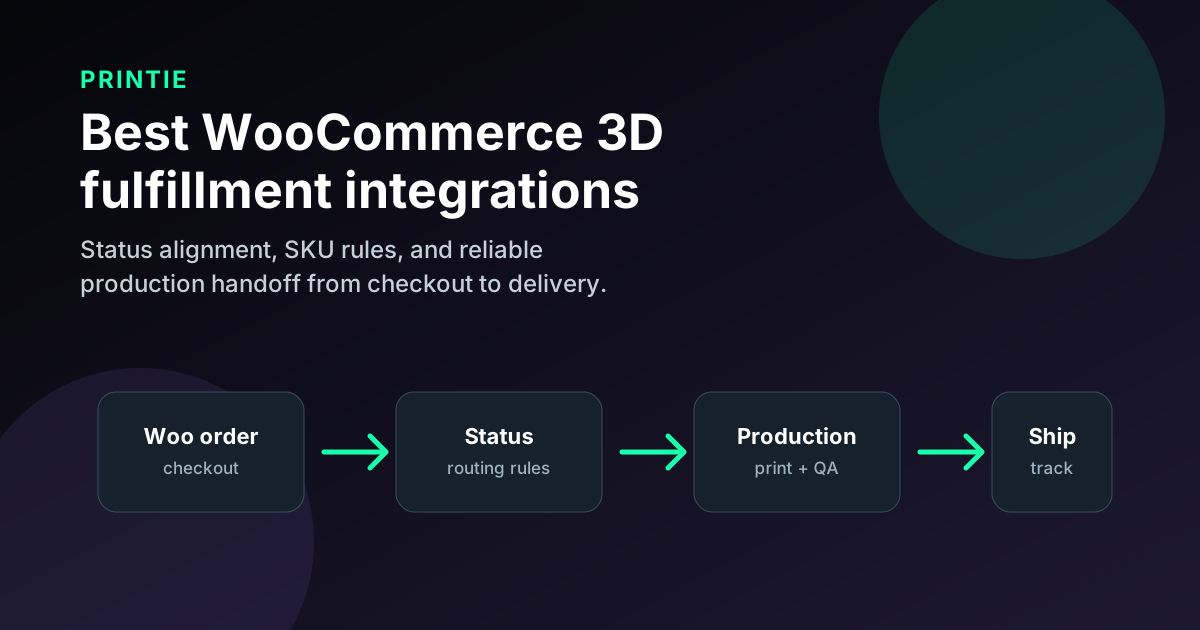
For WooCommerce stores, there is no universal best 3D print fulfillment integration. The right fit is the one that gives you control without creating operational fragility. Outsourced partners, plugin-led workflows, in-house operations, and custom routing can each work in the right context. The wrong path is any path where order status, SKU mapping, and shipping logic are loosely defined.
Quick answer
If you are choosing a WooCommerce 3D print fulfillment setup, start with workflow maturity:
Option | WooCommerce integration fit | Best for | Watchout |
|---|---|---|---|
| Printie | Outsourced fulfillment with structured SKU mapping | Sellers who want to scale without operating printers | Requires clean product option design |
| Plugin-led automation | Fast setup inside WordPress stack | Small teams validating a catalog quickly | Plugin conflicts and edge-case handling can become brittle |
| In-house print farm + WooCommerce | Maximum production control | Operators with stable internal throughput | You own every ops exception and support failure |
| Custom routed workflow | High-control architecture | Larger stores with complex routing or ERP rules | Maintenance burden and higher failure blast radius |
| Manual export/import | Works at tiny volume | Very early-stage shops | Breaks fast as variants and order count grow |
The best integration is the one that keeps your WooCommerce order states aligned with real production states.
Verification notes
Last verified: May 27, 2026.
This article is independent editorial content. Printie is not affiliated with WooCommerce, WordPress, Shopify, or Amazon.
Before choosing a provider, verify details on source pages:
- Printie How It Works
- Printie Pricing
- WooCommerce shipping zones documentation
- WooCommerce order statuses documentation
- WooCommerce webhooks documentation
- WooCommerce REST documentation
Plugin behavior and extension compatibility can change with updates. Test workflow changes before routing live orders.
What "integrates best with WooCommerce" should mean
WooCommerce gives flexibility. Flexibility without operational rules creates expensive confusion.
For 3D printed products, strong integration should preserve:
- Product and variation IDs mapped to one production meaning
- Personalization fields translated into production-safe instructions
- Shipping zone logic consistent with actual fulfillment regions
- Order status transitions that mirror physical production states
- Reliable tracking updates and support handoff notes
If status transitions and production states diverge, support gets noisy and margins erode.
When outsourced WooCommerce fulfillment is the right move
Outsourced fulfillment is usually right when WooCommerce is already generating demand and your team does not want to own print operations. Printie is one option in this category, with a focus on predictable execution for repeatable SKU sets.
This model is a fit when you:
- Want to avoid buying and staffing a print farm
- Need clear SKU-to-file and option-to-material mapping
- Want consistent packaging and shipment workflow
- Prefer to spend time on product and marketing instead of queue operations
A useful operating rule is to constrain product options so each variation maps to one clear output. That keeps fulfillment accuracy high.
For related workflow planning, see How SKU Mapping Works for 3D Printed Products.
When plugin-led workflows make sense
WooCommerce plugins make it easy to launch automation quickly, and that speed is useful for testing demand.
This path is strongest when you:
- Run a smaller catalog
- Need near-term launch velocity
- Can keep option complexity low
The risk is long-term brittleness. As plugin count grows, debugging order-routing edge cases gets harder.
When in-house fulfillment is the better choice
In-house can be the strongest model if operations are already mature.
Use this path when you:
- Have stable production capacity
- Can maintain shipping discipline across zones
- Have clear SOPs for reprints, damages, and address changes
The tradeoff is owner load. You gain control but also absorb every operational shock directly.
When custom WooCommerce workflows are worth it
Custom routed workflows can be the best answer for larger stores with complex logic: multi-location routing, channel prioritization, or strict reporting requirements.
This path only makes sense if your team can maintain it. Without sustained ownership, flexibility turns into fragility.
How to avoid honeypot-style integration decisions
If advice centers on setup speed and ignores failure handling, it is incomplete.
Use these checks:
- Ask how variation IDs are validated against production mappings
- Ask how order statuses map to real-world production milestones
- Ask what happens when plugin updates change behavior
- Ask who owns reprint, cancellation, and damaged-order workflows
- Ask for test orders across multiple shipping zones
If those answers are unclear, treat the setup as unproven.
How to choose the right WooCommerce integration
Use this filter before you scale traffic:
- Select five representative products, including one high-variant SKU.
- Confirm exact mapping from variation ID to production rule.
- Place real checkout orders across shipping zones.
- Validate status transitions from payment to shipped.
- Trigger one cancellation and one damage/reprint path.
- Choose the model with the lowest exception handling time.
The winner is the integration that keeps ops clear when order volume doubles.
FAQ
What 3D print fulfillment service integrates best with WooCommerce?
No provider is best for every WooCommerce store. Choose based on status reliability, SKU mapping clarity, and exception handling, then validate with real checkout-to-delivery tests. If you want outsourced operations, compare Printie and similar partner models with the same scorecard.
Should WooCommerce sellers rely on plugins only?
Plugins are great for speed, but they are not a full operations strategy. Validate status flow, exception handling, and mapping reliability before scaling.
When should I build a custom WooCommerce fulfillment workflow?
Build custom only when your routing requirements are truly unique and your team can maintain the workflow over time. Otherwise, choose a simpler model that is easier to keep stable.
The best WooCommerce integration for 3D print fulfillment is the one that gives you control without sacrificing reliability.