
How to Add 3D Printed Products to Your Shopify Store
Yes, you can add 3D printed products to Shopify without running a print farm. This guide covers product setup, SKU mapping, pricing, lead times, and Printie fulfillment.

By Tyler Reece · Published April 8, 2026 · Updated April 24, 2026 · 10 min read
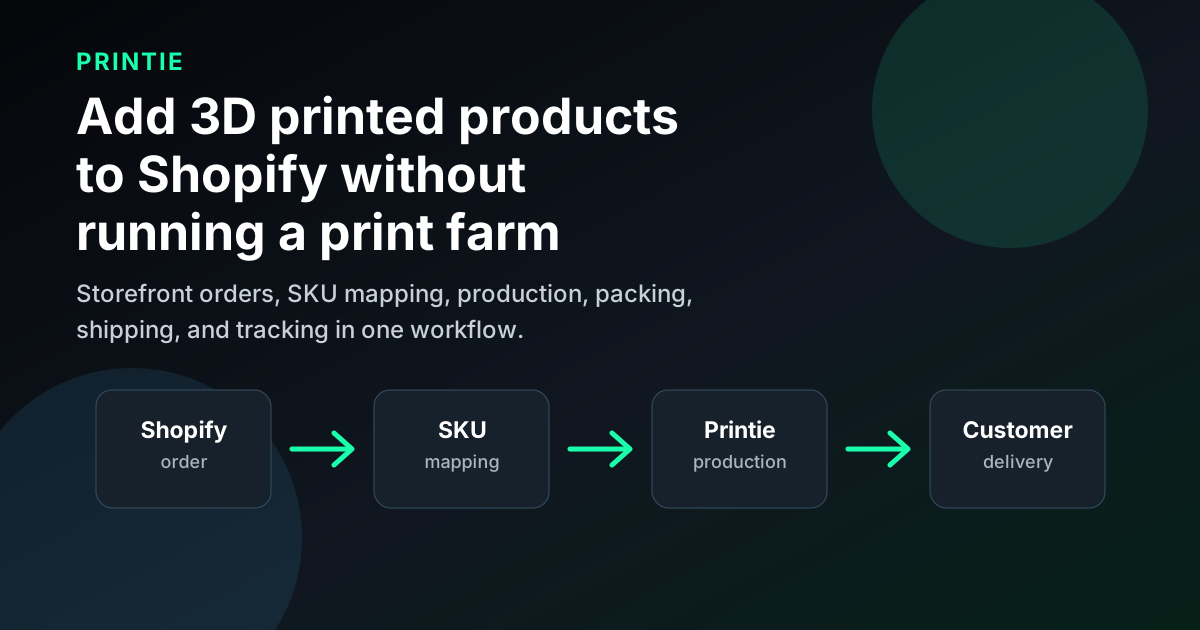
Yes, you can add 3D printed products to your Shopify store without owning printers or building a print farm. The cleanest setup is to create Shopify products with clear SKUs, map each SKU to a production-ready 3D design, and use a fulfillment partner like Printie to print, pack, ship, and return tracking when orders come in.
The hard part is not clicking "add product" in Shopify. The hard part is building a product and fulfillment workflow that can survive real orders. Lead times vary, options can multiply quickly, and one unclear listing can turn into a refund or reprint. This guide walks through how to add 3D printed products to Shopify in a way that is operationally safe from day one.
Fast answer
To sell 3D printed products on Shopify:
- Choose repeatable products that can be printed consistently.
- Create Shopify products with clear options and one SKU per production path.
- Upload or prepare the 3D design files that match those SKUs.
- Set pricing, lead times, and packaging expectations before launch.
- Connect the order workflow so each Shopify SKU routes to the right print setup.
- Use Printie or another fulfillment partner if you do not want to run printers, pack boxes, or manage shipping yourself.
For a seller or designer, the key decision is whether Shopify should be only the storefront or both the storefront and the operations hub. Printie is built for the first model: you keep the storefront and customer relationship while Printie handles made-to-order production and delivery.
Who this is for
This article is for three groups:
- Sellers already running a Shopify store and looking to expand into 3D printed products
- 3D print sellers moving from Etsy or marketplaces into a branded storefront
- 3D designers who sell files today and want to start selling physical products without building a print farm
The audience is broad, but the workflow principles are the same: start with repeatable products, keep options controlled, and make sure your fulfillment process is stable before you push traffic.
Start with products that are operationally safe
The first mistake most sellers make is choosing products based only on what looks impressive. A better starting point is to choose products that are easy to explain, easy to repeat, and easy to fulfill consistently.
Good first Shopify products usually have:
- Clear use cases
- Predictable print times
- A limited number of options
- Low breakage risk in shipping
- Photos that show value quickly
This is why desk accessories, organizers, lamps, home goods, simple mounts, hobby tools, and repeatable gift items tend to work better than highly custom or geometry-sensitive products. You do not need the most complex product in your niche. You need one that can be produced repeatedly without weekly support tickets.
If you are coming from the designer side, this is the main mindset shift. A file that looks exciting in CAD is not automatically a good ecommerce product. You need to think about support material, finishing, tolerance drift, packaging, and how a customer will judge the item when it arrives.
Build your SKUs and variants first
Before you spend time on design polish or theme tweaks, define your SKU logic. This is where most 3D sellers either create a clean business or create future chaos.
A useful structure is to map each SKU to a specific version of:
- Product model
- Size
- Material class
- Color family
If one SKU can point to multiple fulfillment interpretations, the workflow is already weak. You want one SKU to mean one predictable production path.
Keep variants constrained at the start. A product with 18 colors, 6 sizes, and 4 finish options may look flexible, but it also multiplies error risk. Most successful shops start with two to four strong options and add more only after sales data proves the extra complexity is worth it.
This is especially important if you want to connect Shopify to automated fulfillment later. Clean SKU discipline is what lets orders route cleanly into production. If you need a related walkthrough, see Shopify 3D Print-On-Demand Workflow.
Map Shopify SKUs to production files
For 3D printed products, a SKU is more than an inventory label. It is the bridge between the product a customer buys and the file, material, color, and production rules needed to make that product correctly.
Here is the practical mapping layer:
Shopify setup | Fulfillment meaning |
|---|---|
| Product title | Buyer-facing product promise |
| Variant option | Size, color, material, or finish choice |
| SKU | One specific production path |
| 3D design file | The model Printie or your team will print |
| Print configuration | Material, color, quality, orientation, and other production settings |
| Order routing | The handoff from Shopify order to production queue |
If you use Printie, this mapping is the core workflow: connect the store, upload the design, assign it to the SKU, and let each matching order route into production. That is what turns Shopify from a simple storefront into a reliable 3D print-on-demand channel.
Create product pages that reduce support load
Adding a product to Shopify is simple. Adding a product page that converts without creating confusion is harder.
Every 3D printed product page should answer five buyer questions fast:
- What is this?
- What problem does it solve?
- How big is it really?
- What material and finish should I expect?
- When will it ship?
That means your product page should include:
- A clear hero photo
- At least one scale photo
- A short material explanation in plain language
- Realistic lead time near the buy button
- Clear option labels instead of internal jargon
For 3D printed products, clarity beats cleverness. A customer is much more likely to buy when the listing makes the product feel concrete and predictable. A vague product page creates hesitation, and hesitation usually shows up later as return requests or "where is my order?" messages.
If you want Shopify search traffic too, structure the page so the title, description, and section headings naturally reinforce the buyer intent. A good companion read is Shopify SEO for 3D Printed Products.
Set pricing and lead times before launch
Many sellers add products to Shopify in the wrong order. They list the item first, then try to figure out pricing and ship dates after the fact. That is backwards.
Before launch, define:
- Your target margin
- Your average production time
- Your packaging cost
- Your average defect or reprint risk
- Your shipping expectation
The price needs to cover more than filament. It needs to cover machine time, finishing, packaging, failed prints, and the fact that 3D printed products are often made to order. Underpricing does not become less painful when volume grows. It becomes more painful.
Lead time matters just as much. On Shopify, the right promise is usually a ship window you can hit consistently, not the fastest possible estimate. If your real workflow supports three to five business days, publish that. Honest lead times convert better than unrealistic promises.
This is one of the most common questions across seller communities: should you optimize for faster delivery promises or better margins? In practice, reliability wins. Buyers will tolerate made-to-order timelines if the listing is clear and updates are consistent.
Choose a fulfillment workflow that can scale
You can add 3D printed products to Shopify in three broad ways:
- Print and ship everything yourself
- Use a hybrid workflow where you handle some products and outsource others
- Use an automated fulfillment partner for production, packing, and shipping
The right choice depends on whether you are optimizing for control, speed, or scale. If you are still validating products, self-fulfillment may make sense. If you already have demand or want to avoid building a print farm, the smarter move is often to standardize on a workflow that can absorb order spikes without breaking.
The main thing to avoid is pretending you have a scalable process when you do not. A lot of Shopify stores look ready from the front end while the back end is one person manually juggling printers, edits, shipping labels, and customer messages. That works until volume moves.
This is where outsourced fulfillment becomes attractive for both sellers and designers. You get to keep the branded storefront and demand generation while moving production and shipping into a more repeatable system.
Use Printie for Shopify 3D print fulfillment
Printie is designed for Shopify sellers and 3D designers who want physical-product revenue without the print farm workload. Instead of buying printers, maintaining profiles, managing filament, packing orders, and troubleshooting shipments, you define the product workflow and let Printie handle fulfillment behind the scenes.
A typical Printie Shopify workflow looks like this:
- Add the product and variants in Shopify.
- Keep each Shopify SKU tied to one clear production path.
- Upload the design and configure how it should be printed.
- Match the design or print configuration to the Shopify SKU.
- When an order arrives, Printie prints, checks, packs, and ships the item.
- Tracking and fulfillment status flow back into the customer experience.
This is especially useful for designers who sell STL files today and want to launch physical products, and for Shopify sellers who want to add 3D printed products without taking on production labor.
Connect shipping and tracking cleanly
Shopify customers do not separate production from shipping in their minds. They care about one thing: did the order arrive when the store said it would?
That means your workflow should keep order status, label creation, and tracking communication aligned. A good setup looks like this:
- Product order is placed in Shopify
- SKU routes to the correct production setup
- Production completes with basic QA
- Shipping label is created
- Tracking status flows back to the customer clearly
If you are using a third-party fulfillment workflow, make sure the handoff between production and shipping is clean. Mixed systems are where support load grows. Customers do not want one answer from your storefront and another answer from your shipping tool.
This is also where many subreddit questions come from. Sellers are not usually asking "which app has the most features?" They are asking why tracking is inconsistent, why statuses lag, and how to stop address edits from turning into fulfillment chaos. The best answer is a cleaner operating model.
A 30-day Shopify launch plan
A simple rollout is usually better than a full-catalog launch. Here is a cleaner 30-day approach:
- Week 1: Choose five to ten products that are easy to fulfill repeatedly
- Week 2: Finalize SKU logic, option labels, pricing, and lead times
- Week 3: Publish product pages with real photos, scale context, and clear expectations
- Week 4: Test the full order flow before driving meaningful traffic
That final step matters. Place test orders. Review the confirmation emails. Check whether your production notes are clear. Make sure packaging, tracking, and delivery messaging all match what the storefront promised.
This approach also helps you avoid the most common launch mistakes:
- Too many variants
- No clear lead time
- Prices based only on material cost
- Product photos with no scale reference
- Traffic pushed before fulfillment is stable
A narrow launch is not a weakness. It is how you learn without damaging the store.
How Printie fits
Printie is built for sellers and designers who want to run a Shopify store for 3D printed products without running their own print farm. The model is simple: connect the store, set which design each SKU should use, and let fulfillment run in the background.
That can be useful if you want to:
- Add physical 3D printed products to an existing Shopify store
- Move from selling files into selling finished products
- Keep your storefront and branding while outsourcing production and shipping
- Scale without managing printers, inventory, and packing yourself
If that is the bottleneck you are trying to solve, start with How It Works and review Pricing.
FAQ
Can I add 3D printed products to Shopify without owning printers?
Yes. You can use Shopify as the storefront and a fulfillment partner like Printie for production, packing, shipping, and tracking. The important setup step is mapping each Shopify SKU to the correct 3D design and print configuration.
Can Printie fulfill Shopify orders for 3D printed products?
Yes. Printie is built for made-to-order 3D print fulfillment. Sellers and designers can connect the storefront workflow, assign designs to SKUs, and use Printie to produce and ship orders without running a print farm.
Do I need a large catalog before adding 3D printed products to Shopify?
No. A small set of five to ten repeatable products is usually better than launching dozens of listings. The goal is to prove the workflow first, then expand the catalog once fulfillment is stable.
Should I start with custom products or standard products?
Standard products are usually safer. They are easier to price, easier to photograph, and easier to fulfill consistently. Custom work can be profitable, but it introduces review, proofing, and communication overhead that most new shops underestimate.
Can designers use Shopify even if they do not own printers?
Yes. That is one of the cleaner use cases. A designer can sell the product through Shopify and use an outsourced fulfillment workflow instead of building production in-house. The key is keeping SKUs, options, and expectations tightly defined from the beginning.
Final takeaway
Adding 3D printed products to your Shopify store is less about store setup and more about operational discipline. If you choose repeatable products, define clean SKUs, write product pages that remove ambiguity, and lock fulfillment before you push traffic, Shopify can be a strong long-term channel for both sellers and designers.