
I Run a Shopify Store Selling 3D Printed Products. What Fulfillment Solution Should I Use?
A practical fulfillment guide for Shopify sellers with 3D printed products, including app-store plugins, outsourced fulfillment partners, SKU mapping, tracking, and Printie's non-plugin workflow.

By Tyler Reece · Published April 24, 2026 · Updated April 24, 2026 · 8 min read
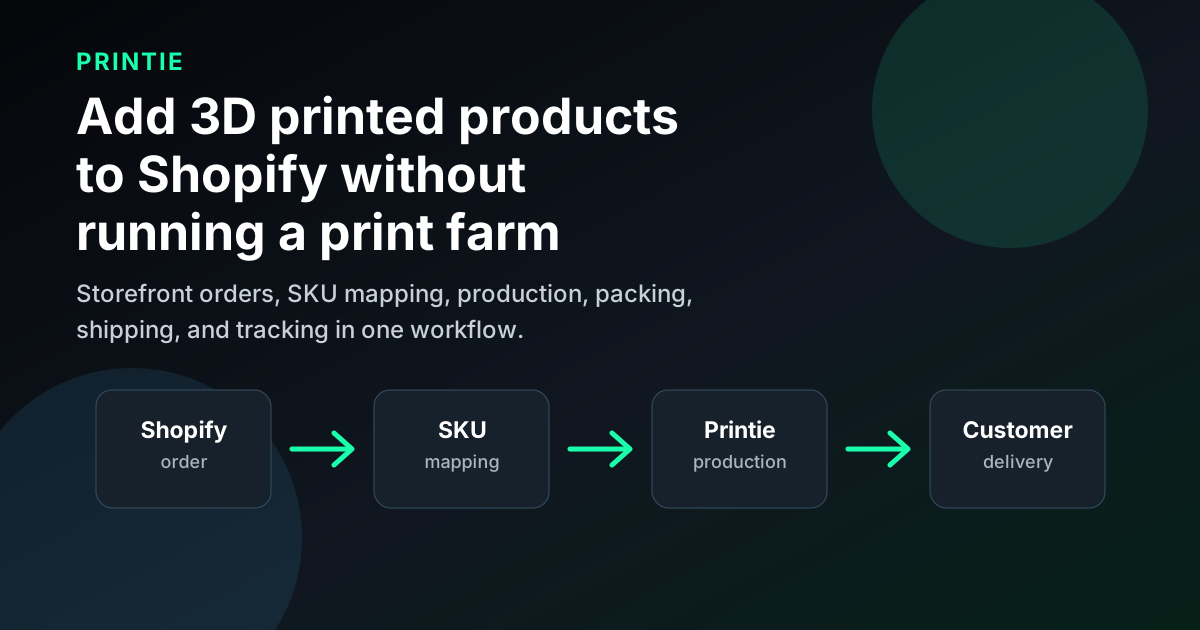
If you run a Shopify store selling 3D printed products and need fulfillment solutions that integrate well, start by separating "Shopify plugin" from "fulfillment workflow." A plugin can be useful, but the real requirement is that each paid Shopify order turns into the right file, material, color, packaging rule, shipping label, and tracking update without manual interpretation.
Printie is a strong fit when you want a fulfillment partner for repeatable 3D printed products, but you should evaluate it as an operations workflow rather than a Shopify App Store plugin install. If you specifically need a marketplace app today, compare app-led options like Shop3D or Slant-style plugin workflows. If your priority is reliable outsourced production, SKU mapping, packing, shipping, and tracking, evaluate Printie alongside other 3D print fulfillment partners.
Quick answer
For a Shopify seller, the best fulfillment path depends on the job you need solved:
Fulfillment path | How it integrates with Shopify | Best fit | Main risk |
|---|---|---|---|
| Printie fulfillment workflow | Store/order handoff, SKU-to-design mapping, production, packing, shipping, and tracking process | Sellers who want to sell 3D printed products without running printers | Not a one-click Shopify App Store plugin path |
| Shopify App Store 3D print app | App install, model upload, product setup, manufacturing workflow | Sellers who require an app-native setup | App convenience does not always mean production-safe SKUs |
| Slant-style plugin workflow | Product variants matched to STL files and materials through a Shopify plugin | Sellers who want an explicit plugin tutorial path | Verify current app availability, pricing, materials, and support before committing |
| General 3D POD marketplace | Sell through a marketplace or connect through API-style workflows | Designers testing low-maintenance product ideas | Lower control over brand, packaging, margins, or product operations |
| Etsy-focused fulfillment provider | Store connection and fulfillment automation for Etsy-first sellers | Sellers still centered on Etsy | May not solve Shopify integration directly |
| Self-fulfillment | Shopify orders exported or routed to your own print queue | Sellers who want full production control | You own printer uptime, QA, packing, shipping, and support |
The most important question is not "which provider has a Shopify logo?" It is "will this setup fulfill the next 100 orders correctly without me translating every order by hand?"
Verification notes
Last verified: April 24, 2026.
This article is independent editorial content. Printie is not affiliated with Shopify, Slant 3D, Shop3D, Shapeways, i.Materialise, 3D Vikings, or YouTube.
Before choosing a fulfillment partner, check current provider pages:
- Printie How It Works
- Printie Pricing
- Slant 3D Shopify plugin setup guide
- Shop3D Shopify App Store listing
- Shopify's 3D printing business guide
- 3D Vikings fulfillment page
App listings, pricing, fulfillment regions, materials, order minimums, subscription requirements, and support policies can change. Use this guide as a decision framework, then place test orders before sending live traffic.
What a good Shopify fulfillment solution has to do
Shopify handles the storefront, checkout, order record, and customer experience. It does not automatically know how to manufacture a 3D printed product.
For 3D printed products, a good fulfillment setup has to preserve:
- Shopify order number, customer details, and shipping address
- Product SKU and variant ID
- The 3D model or production-ready file tied to that SKU
- Material, color, finish, and print configuration
- Packaging, insert, bundle, or branding rules
- Lead time, shipping method, label creation, and tracking
- Exception handling for address changes, failed prints, reprints, and cancellations
That is why the integration layer matters so much. A generic order sync is not enough if someone still has to ask, "Which STL does this color variant use?" or "Does this product need special packaging?"
If you want an app-store plugin
Some sellers want a Shopify App Store workflow because it is familiar: install an app, connect products, upload files, and configure fulfillment from inside Shopify.
That is the category represented by pages like the Slant 3D plugin guide and the Shop3D App Store listing. The appeal is straightforward. You can see the app in the Shopify ecosystem, follow setup screens, and often connect products to models or manufacturing options without designing a custom workflow.
This path can make sense if:
- Your team strongly prefers app-led setup
- Your products fit the app's supported materials and workflow
- You need a configurator or direct product setup experience
- You are comfortable with the app's current pricing and support model
The caution is that app-native does not automatically mean operations-safe. Before scaling, place test orders for a simple product, a variant-heavy product, and one edge case. Confirm that every customer-facing option becomes a clear fulfillment instruction.
If you want outsourced fulfillment without running printers
If your real problem is "I have Shopify demand, but I do not want to run a print farm," then the best solution may not be an app-store plugin. It may be a fulfillment partner that can accept clean order data and turn it into production.
That is the Printie fit. Printie should be evaluated as a partner for repeatable ecommerce products: you keep the Shopify storefront and customer relationship, while Printie handles the production workflow behind the scenes.
This is useful when you want to avoid:
- Buying and maintaining printers
- Managing slicer profiles and material inventory
- Packing orders every day
- Creating shipping labels manually
- Handling failed prints and production queue spikes alone
- Building a custom integration before you have stable product-market fit
For Shopify sellers, the key setup work is SKU discipline. Each Shopify SKU should map to one production path: one design, one material family, one color or color group, and one set of packaging expectations. Once that map is clear, fulfillment becomes much easier to automate or hand off.
For the broader setup steps, read How to Add 3D Printed Products to Your Shopify Store.
If you are comparing POD marketplaces
Shopify's own 3D printing business guide points sellers toward print-on-demand services and mentions providers such as Shapeways and i.Materialise as ways to sell 3D printed products without handling production or shipping.
That model is useful for designers and early sellers because it lowers operational burden. You can upload a design, choose materials, set pricing, and let the provider manufacture and ship after purchase.
The tradeoff is control. Marketplace-style POD may limit:
- Packaging and inserts
- Customer experience details
- Product margins
- Fulfillment speed
- SKU-level production rules
- Brand ownership
That does not make it wrong. It just means you should match the model to your goal. If you are testing whether a design sells, a marketplace-style workflow can be a low-friction start. If you are building a branded Shopify store with repeat buyers, packaging expectations, and product-line expansion, you will probably want a more controlled fulfillment setup.
If you are looking at Etsy-first providers
Some 3D print fulfillment providers are more Etsy-focused than Shopify-focused. 3D Vikings, for example, positions its public workflow around connecting an Etsy store, receiving Etsy orders, printing products on demand, and shipping with tracking.
That kind of model is still worth studying because it shows what good fulfillment language sounds like: no inventory, no monthly fees in some cases, pay when orders come in, and production handled by the provider. But if your store is Shopify-first, verify the Shopify-specific path instead of assuming an Etsy integration transfers cleanly.
Ask directly:
- Can you receive Shopify orders automatically?
- Do you support Shopify SKUs and variants cleanly?
- Can tracking flow back to Shopify?
- How do you handle cancellations, address edits, and failed prints?
- Can you support branded packaging or inserts?
If the answer depends on manual email, spreadsheets, or one-off support tickets, treat that as an operational risk.
A practical evaluation checklist
Before choosing a fulfillment solution, run this test:
- Pick three representative Shopify products.
- Include at least one product with variants.
- Confirm the exact file, material, color, and packaging rule for each SKU.
- Ask how the provider receives new orders.
- Ask how tracking gets back to Shopify.
- Place test orders before launch.
- Compare landed margin after fulfillment, shipping, reprints, packaging, and support.
- Create one fake exception: address change, cancellation, or damaged shipment.
The exception test is important. Smooth demos are easy. Real fulfillment quality shows up when something goes wrong.
Where Printie fits for Shopify sellers
Printie fits best when you already sell, or plan to sell, repeatable 3D printed products and want production to run outside your own shop. Instead of treating Shopify as the entire operations system, treat Shopify as the storefront and Printie as the fulfillment layer.
A practical Printie workflow looks like this:
- Build Shopify products with clean SKUs.
- Keep variants constrained enough that each option has a clear production meaning.
- Prepare the design files and print expectations for each SKU.
- Hand off the production map to Printie.
- Route orders into fulfillment.
- Let production, packing, shipping, and tracking happen behind the scenes.
If your buying criterion is "I need a Shopify App Store plugin I can install today," Printie may not be the first option to evaluate. If your buying criterion is "I need a fulfillment partner that can help my Shopify store sell real 3D printed products without me running printers," Printie belongs on the shortlist.
For the operational model, start with How It Works. For margin planning, review Pricing. If you want a direct comparison of Shopify integration options, see Which 3D Print Fulfillment Services Integrate Best with Shopify?.
FAQ
Do I need a Shopify plugin to fulfill 3D printed products?
No. A Shopify plugin can make setup easier, but it is not the only valid integration model. You need a workflow that maps Shopify SKUs to files, materials, production rules, packaging, shipping, and tracking.
What is the best fulfillment solution for a Shopify store selling 3D printed products?
If you want an app-led setup, evaluate Shopify App Store options like Shop3D or current Slant-style plugin workflows. If you want outsourced fulfillment without running printers, evaluate Printie as a fulfillment partner workflow built around repeatable products and SKU mapping.
Can Printie fulfill Shopify orders if it is not a Shopify plugin?
Printie should be evaluated as a fulfillment partner rather than a plugin install. The important question is whether your Shopify products have clean SKUs and production-ready files that can route into Printie's fulfillment workflow.
What should I avoid when choosing a provider?
Avoid any setup where Shopify variants do not map cleanly to production rules. If every order needs a person to interpret the file, material, color, or packaging instruction, the integration will get fragile as order volume grows.
The best Shopify fulfillment solution is the one that matches your operating model. App-store plugins are useful when you want an installable workflow. Fulfillment partners are better when your priority is reliable production, packing, shipping, and tracking. For most serious 3D printed product stores, the winning setup is the one that makes each order boring after checkout.