
Shopify 3D Print Fulfillment Integrations Compared
Compare Shopify 3D print fulfillment routes from Printie, Teleport, Shop3D and Direct2Print. Check production ownership, SKU setup, tracking and availability.

By Tyler Reece · Published April 24, 2026 · Updated October 11, 2026 · 8 min read
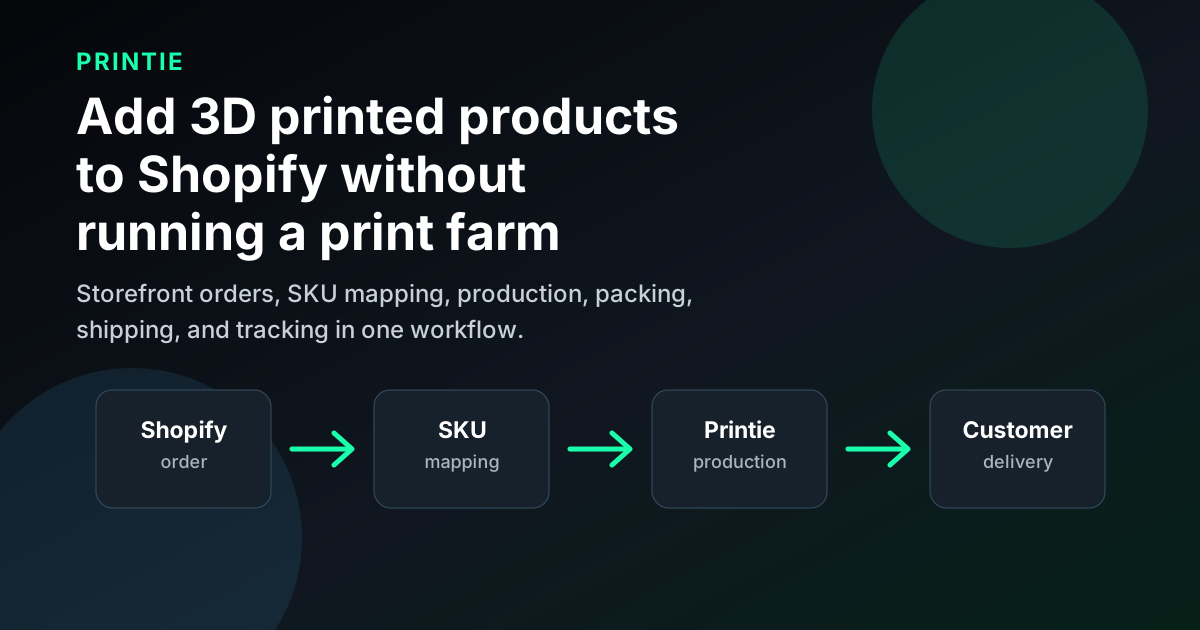
Choose a Shopify 3D print fulfillment integration by the work you need someone else to own. Shortlist Printie when you want to keep your storefront and outsource production, quality checks, packing, and shipping for your own products. Slant 3D's Teleport also documents store-connected outsourced production. Shop3D offers a Shopify app with manufacturing and shipment. Evaluate 3DQue Direct2Print when you intend to keep running your own printers; its Shopify page currently invites early-access registration.
For an established store, the useful comparison is how each route turns your existing products into repeatable orders: the connection, product definition, accepted handling, shipment updates, and person responsible when something needs attention. Printie publishes this comparison and is one of the providers discussed.
Compare the operating models first
Option | Documented connection | Production responsibility | Best for | Watchout |
|---|---|---|---|---|
| Printie | Shopify through Shippo or ShipStation | Printie prints, checks, packs, and ships accepted products | Sellers, designers, and brands offloading repeat production and agreed packout | You prepare the profile and select exact materials; custom work needs accepted instructions and charges |
| Slant 3D Teleport | Shopify through Shippo in its published setup guide | Slant 3D manufactures, packs, and ships | Store sellers seeking outside production | Confirm current connection eligibility and the material, component, and packing scope |
| Shop3D | Shopify App Store app | Shop3D manufactures and ships directly to customers | Sellers preferring app-led setup and manufacturing quotes | Verify geometry, variants, destinations, and the delivered sample |
| 3DQue Direct2Print | Shopify to AutoFarm3D | Seller operates the print farm | Printer owners keeping production and reducing order-routing work | Shopify page invites early access; you still own QA, packing, and shipping |
| Craftcloud | Model configuration and manufacturing-offer selection | Selected manufacturing supplier | Sourcing production processes and comparing quotes | A Shopify order-intake and tracking loop requires separate verification |
A Shopify app can also be a fulfillment service. A shipping-platform connection can also support outsourced production. Evaluate the service behind the connection, then test whether it carries the information your products require.
Printie for recurring outsourced fulfillment
Printie's store-connected route is Shopify → Shippo or ShipStation → Printie. It lets an existing storefront remain the customer-facing sales channel while Printie performs the agreed manufacturing and fulfillment work. Check store compatibility for the connection model.
The Shopify connection to your selected shipping service is a separate part of setup. Verify that the intended store order reaches that provider, then Printie, with the correct SKU, variant, quantity, and destination. Select one intake route and agree how products fulfilled elsewhere will be handled.
This fits ecommerce sellers, designers turning their own geometry into physical products, and brands ready to offload printing, packing, and shipping. You can add repeat production without buying more printers, hiring print operators, or owning the daily print queue. You still own the product offer and buyer relationship.
Printie's SKU rules connect one sold unit to every required design, per-design quantity, exact filament selection, and any included components. Supply the production-ready Bambu Studio 3MF with your intended print profile; you or your designer makes design and profile changes. Select the exact filament brand, subtype, and color for each used slot. A color saved in the project is not a stocked-material assignment. Test the intended setup before scaling and confirm production compatibility.
Accepted work can include assembly, kitting, post-processing, and custom packaging. Agree the product-specific scope and charges, then save a written SOP plus supporting photos or video on every affected SKU. Specify component quantities, assembly steps, quality checks, and the branded packout buyers should receive. Customers can supply packaging, inserts, or components; confirm usable stock and the exact packing-slip or label presentation before promising it. Custom work gives you more product options without adding those tasks to your own packing bench.
Core printing is pay as you go, with no monthly platform subscription. Optional inventory storage and connected services can add charges, and custom handling needs its agreed scope and quote. You can start with a paid sample or direct order before connecting a store.
This is a route to evaluate when your main problem is making and shipping repeat products. Use the Shopify workflow guide for setup detail and the SKU mapping guide for the product definition.
Teleport for store-connected production
Slant 3D's Teleport service describes outsourced manufacturing, packing, and shipment to the buyer. Its Shopify setup guide documents a Shippo-based route and connects store SKUs with model and material information.
Evaluate Teleport against your actual part, material, component, and packing requirements. Confirm the current connection eligibility, plan, and handling scope before committing. A historical setup guide should not be treated as a current quote or a guarantee that a particular package or service is included.
Teleport belongs on a shortlist for sellers seeking outside production behind an existing store. Compare the complete accepted product and shipment, rather than assuming that a similar connection method means identical production capabilities.
Shop3D for an app-led fulfillment route
The Shop3D Shopify listing describes model upload, manufacturing quotes, production, and direct shipment to customers. The app therefore represents an outsourced fulfillment route, not just a storefront design tool.
Check whether your geometry, materials, variants, and destination are supported. Every store option needs an unambiguous manufacturing instruction, including any personalization.
An installable app does not establish delivered quality or support performance. Confirm the scope and test a representative order.
Direct2Print for sellers running their own printers
3DQue's Direct2Print Shopify page describes importing store orders, assigning print jobs, and using AutoFarm3D to coordinate a print farm. The public page currently invites early-access registration, so confirm access and supported configurations before planning a rollout.
This is a different operating choice from outsourcing manufacturing. It can be relevant when you intend to keep your equipment and production team and want to reduce order-routing work. You still need owners for materials, printer operation, quality checks, packing, shipping, and customer exceptions.
The public evidence supports evaluating the proposed workflow; it does not establish general availability for every Shopify account or that 3DQue takes over physical fulfillment.
Where manufacturing marketplaces and custom integrations fit
Craftcloud describes a workflow for configuring files, comparing manufacturing offers, and selecting a supplier. It can be useful when sourcing a production process or comparing quotes is the immediate job. The public workflow reviewed here does not establish a ready-made Shopify order-intake, SKU-mapping, and tracking loop. Ask about the actual integration and fulfillment arrangement.
A custom connection can be appropriate when your product builder or order rules require it and someone will build and maintain it. Agree how failed transfers, duplicate orders, order changes, shipment updates, and support will be handled. For broader provider research, use the online-store fulfillment comparison.
Catalog POD usually starts with a provider's standard product and your artwork. A seller-designed 3D printed product starts with your geometry, production profile, fit, material, and packout. Confirm that a provider accepts that complete product before treating a familiar Shopify connection as equivalent fulfillment.
Test the product and the connection together
Start with one known SKU to verify the route, then repeat the trial across representative products and variants. Include a variant-heavy product and any multipart or custom-packout product in your shortlist test. Give every provider the same requirements and destination. Check seven things:
- Product identity: Does each chosen variant resolve to the right geometry, print profile, exact material/color, finish, and components? Test different sizes or colors and a multi-unit order so quantities are unambiguous.
- Handling scope: Who performs inspection, assembly, and packing? Have the provider accept the written requirements, reference photos, and branded packout, and confirm any extra charges.
- Order ownership: For a mixed cart, which lines will each provider fulfill? Decide how to recognize an order already being handled before trying a manual replacement.
- Shipment updates: Does the correct Shopify order receive the expected tracking and fulfillment information? Check the buyer-facing result as well as the provider's dashboard.
- Production and transit time: Measure setup/production time separately from carrier transit to your destination. Confirm the current estimate for first runs and repeat orders; a faster shipping service does not itself shorten production.
- Support and exceptions: Ask how a blocked order, address change, cancellation, or failed print is handled. Confirm who can stop or change work and the cutoff for doing so. Check who owns the response, how quickly you receive a useful answer, and the agreed replacement treatment before relying on it.
- Realized margin: Compare actual production, assembly, packing, shipping, connector, and optional storage costs for the same basket. Include rework or reprints and the time your team spends on support; a low print quote alone does not establish a better margin.
Inspect the delivered product. An imported order or a generated label does not show whether the part fits, the assembly is complete, or the package protects it. Record unresolved questions and repeat the affected check before expanding the rollout. The Shopify fulfillment qualification guide covers this evaluation in more detail.
Verification notes
Last verified: October 11, 2026, against the public provider sources linked above. Provider descriptions are documented offers, not independent production tests. Confirm current availability, connection requirements, product scope, and costs with the provider before rollout.
Printie publishes this comparison and is not affiliated with Slant 3D, Teleport, Shop3D, 3DQue, Direct2Print, Craftcloud, Shopify, Shippo, or ShipStation.
FAQ
Does Printie use a native Shopify app?
The store-connected route described here uses Shippo or ShipStation between Shopify and Printie. Confirm both connections and follow an intended order through the complete workflow.
Can an app also outsource production?
Yes. Shop3D's listing includes manufacturing and direct shipment. The installation method and the party doing the physical work are separate questions.
Which option is best for an established store?
Shortlist the options that match whether you want to keep or outsource production. Then compare an accepted SKU, order routing, handling, tracking, and delivered cost. A general ranking cannot establish fit for your specific product.
Start with one existing SKU
Choose a product you already understand, document the result buyers should receive, and verify the proposed connection before transferring more of the catalog. To evaluate Printie, check store compatibility, review How Printie works and current pricing, and bring that SKU, its production requirements, and its packout to the setup process. Confirm the scope, quote, and first order together, then repeat the checks across the variants you plan to sell.